What should you wear for a headshot?
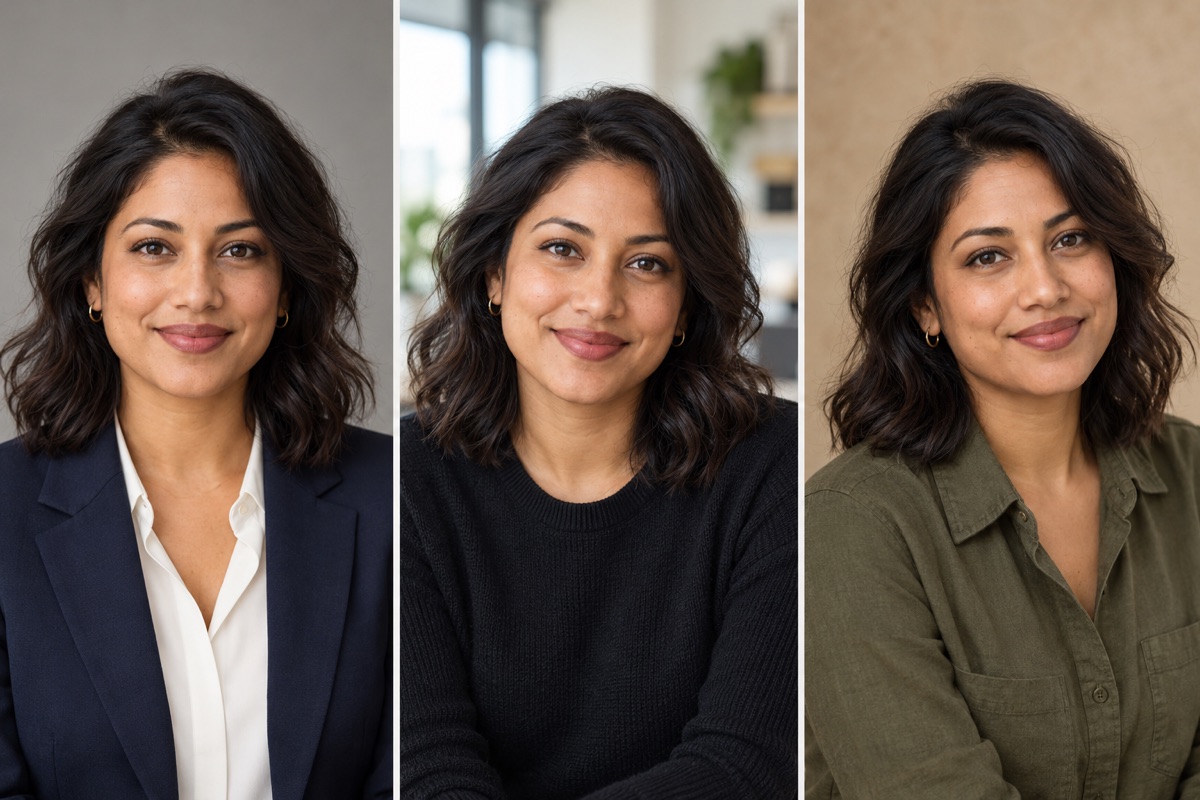
Choose a well-fitting outfit you would wear to meet someone in your field. Solid colors, simple layers, and a tidy neckline are a useful starting point. Check the result at profile-picture size and choose clothing that still feels like you.
Start with the setting and role
A blazer or collared shirt can suit a formal business profile; a plain knit or shirt may feel more natural for a casual workplace. If your portrait will appear on LinkedIn, consider the kind of work you do and how you normally present yourself to clients or colleagues.
Choose colors and patterns
Pick a color that separates your clothing from the background. For example, try a navy jacket against a light wall or a lighter shirt against a darker backdrop. Fine stripes and busy prints can become distracting at small sizes, so take a test photo and compare it with a solid option.
Check fit and small details
- Try the outfit while seated and standing; check that the collar and shoulders sit comfortably.
- Remove lint and check for wrinkles, reflective jewelry, or glasses glare.
- Keep hair and accessories consistent with how you want to be recognized.
- Bring a second layer so you can compare a formal and a relaxed look.
Review AI portrait clothing
If you use an AI style in Headshot, the generated clothing may differ from your source photo. Check collars, lapels, buttons, and jewelry for artifacts, and make sure the overall portrait still represents you. See our source and generated example and LinkedIn outfit guide.
Ready to take a photo?
Use a window and your iPhone to start.